
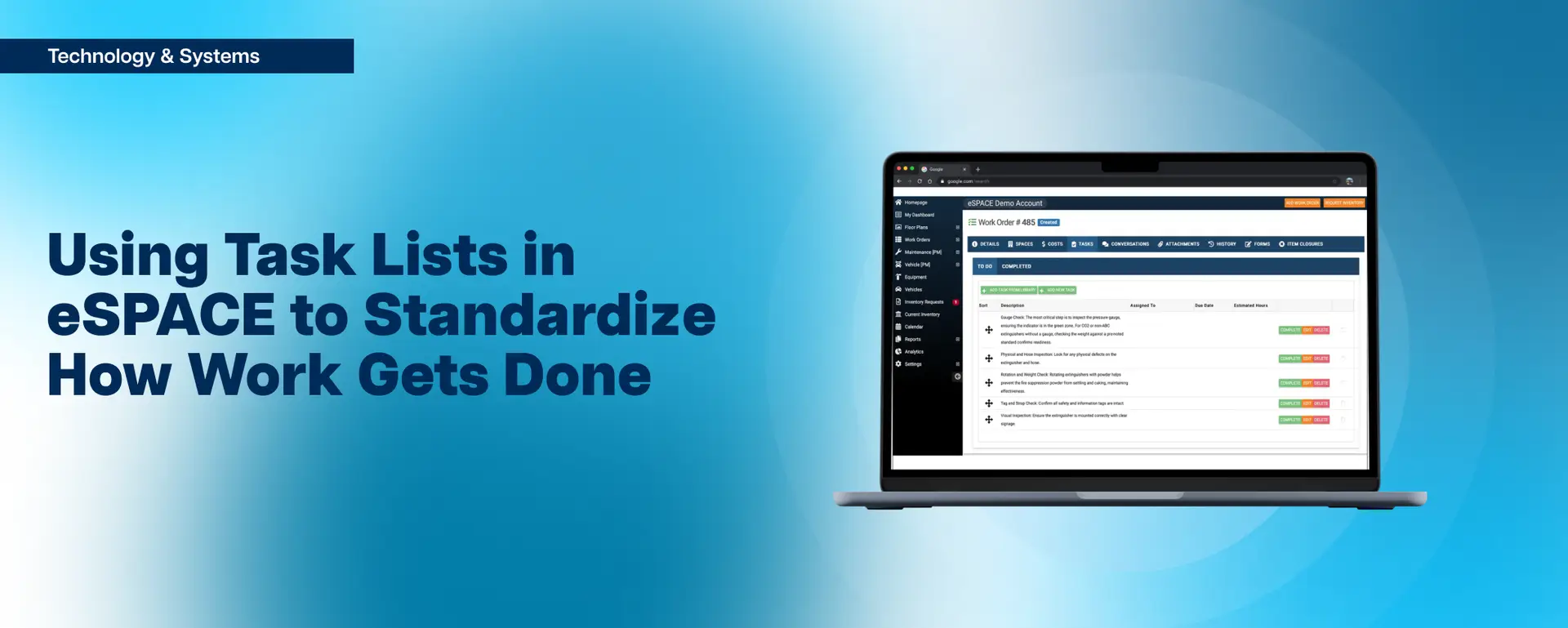
A feature sits inside eSPACE work order and asset management that most churches have clicked past at least once: task lists. It is easy to see why. The words “task list” sound rigid — like a supervisor handing you a work order and telling you to do A, B, C, and D, in that order, no discussion. That is one way to use them. It is also the least interesting way.
Used well, task lists and task groups are closer to a lightweight project management layer inside your work orders. They pull the right people into a job, put the steps in the right order, capture what was actually done, and quietly build a record you can point to six months from now. For a lot of accounts, this is the single most underused thing they are already paying for.
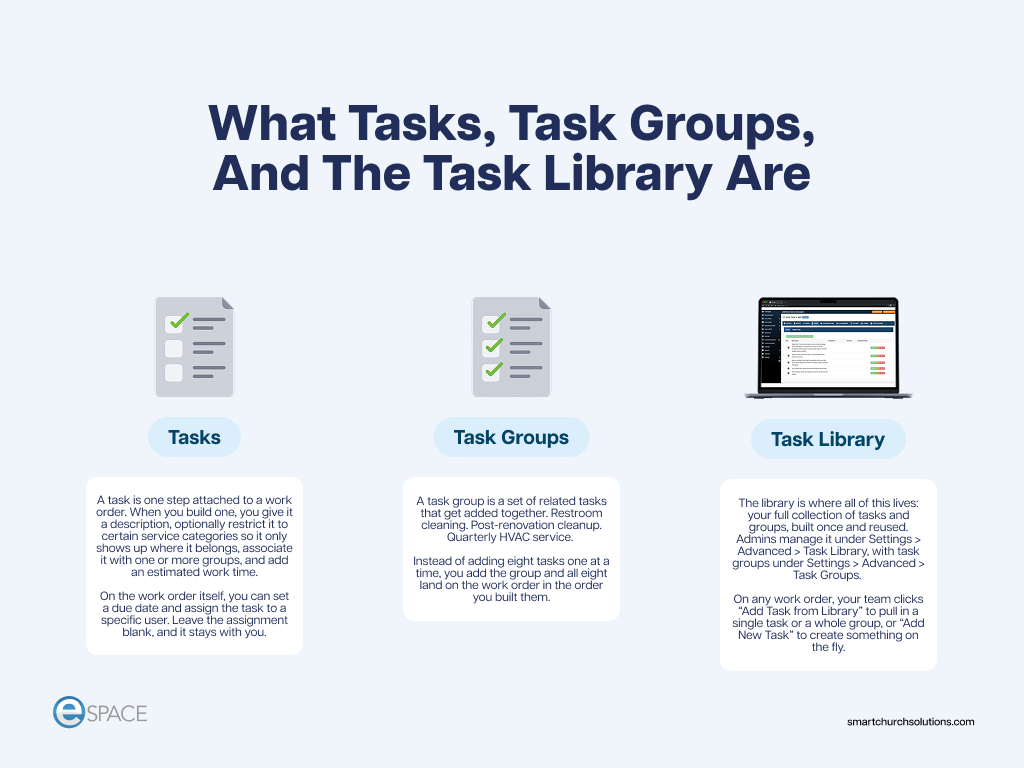
What Tasks, Task Groups, And The Task Library Are
Three pieces work together, and it helps to keep them straight.
Tasks
A task is one step attached to a work order. When you build one, you give it a description, optionally restrict it to certain service categories so it only shows up where it belongs, associate it with one or more groups, and add an estimated work time. On the work order itself, you can set a due date and assign the task to a specific user. Leave the assignment blank, and it stays with you.
Task Groups
A task group is a set of related tasks that get added together. Restroom cleaning. Post-renovation cleanup. Quarterly HVAC service. Instead of adding eight tasks one at a time, you add the group and all eight land on the work order in the order you built them.
The Task Library
The library is where all of this lives: your full collection of tasks and groups, built once and reused. Admins manage it under Settings > Advanced > Task Library, with task groups under Settings > Advanced > Task Groups. On any work order, your team clicks “Add Task from Library” to pull in a single task or a whole group, or “Add New Task” to create something on the fly.
Task Lists Bring Other People Into The Work Order
Here is the part most teams miss. Tasks can be assigned individually. As long as a person is allowed to work under that work order’s service category, you can hand them one piece of a larger job.
Picture a multi-step renovation of a classroom. IT has to pull cable. Plumbing has to move a fixture. Someone else handles wall repair and refinishing. That is one project, one work order, and three different people who each need to know when their part starts.

Build it as a task list so everyone can see the sequence. No one patches drywall before IT cuts holes for new cabling. The conversation between the trades happens inside the work order instead of in three separate text threads, and the whole project keeps one home — a single source of truth for what was done, by whom, and when.
That is a real project management function, and it is already in your subscription.
Preventive Maintenance Without 110 Work Orders
Task lists solve a different problem on the maintenance side: many identical items, one job.
Portable fire extinguisher inspections are the clearest example. A mid-size church might have 110. Nobody wants 110 work orders. So you create one, and the task list carries the inspection steps — check the gauge, check the pin and tamper seal, check for damage, check the tag — with a final task that reads: “I have inspected all 110 extinguishers following the steps above.”
Your team probably knows those steps. Putting them on the task list means they get a refresher every cycle, they sign off on the work, and the process is baked into the system instead of living in one person’s head.
The same logic applies to routine equipment service. The work order says change the filters. The task list adds the things that ride along with that visit — verify the condensate overflow drain is clear, check the belt, note anything that looks off. It is a reminder of what to look for, written down once.
There is a records benefit, too. When the last task is checked off and the work order closes, you get a date and time stamp on the work. The next time someone asks when that equipment was last serviced, you don’t guess or search through a filing cabinet. You open the old work order and read the date.
Standardizing Cleaning And Custodial Work
Task lists traditionally focus on cleaning, and that works. Most churches can build three or four task groups that cover most of their custodial program: restrooms, offices, classrooms, assembly spaces, and general cleaning. One director of facilities we work with organized his entire team this way — a task group per room type, so every space had a defined standard.
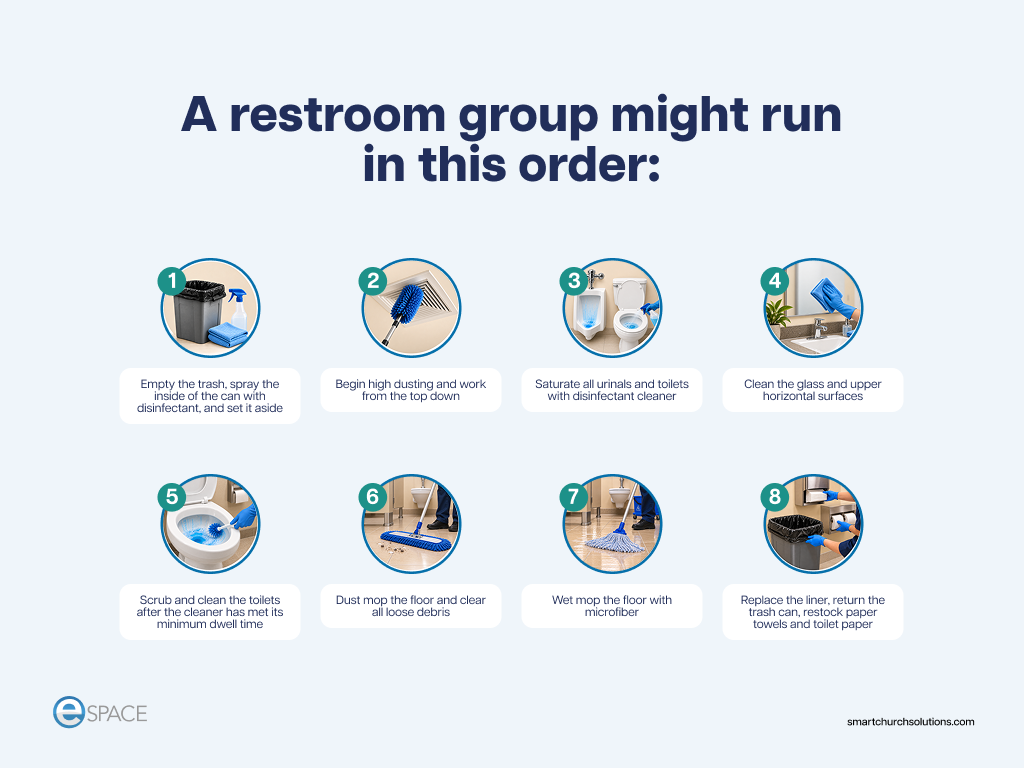
A restroom group might run in this order:
- Empty the trash, spray the inside of the can with disinfectant, and set it aside
- Begin high dusting and work from the top down
- Saturate all urinals and toilets with disinfectant cleaner
- Clean the glass and upper horizontal surfaces
- Scrub and clean the toilets after the cleaner has met its minimum dwell time
- Dust mop the floor and clear all loose debris
- Wet mop the floor with microfiber
- Replace the liner, return the trash can, restock paper towels and toilet paper
Your team likely knows most of that. Hopefully you have trained them on it. But writing it down as a task group means you can drop the whole standard onto any work order in two clicks — including the ones you did not plan for. Doing a renovation? Add your post-renovation cleanup group so the space gets turned over the same way it always does.
Order matters, and the person doing the work doesn’t need to understand why it’s that way. You can certainly explain it — the dwell time step alone is worth explaining — but the point is that the sequence is the sequence. It stays uniform no matter who walks into that room.
When you standardize the work, you build efficiency into the system. You get more done with less effort and time, which saves money and lets you do more with the same team.
Accountability Is An Efficiency Tool, Not A Hammer
Anyone on the advisory team who flies a lot has watched this play out at 30,000 feet. The flight crew runs a checklist before the aircraft backs away from the gate. Not because the pilots are new, and not because someone is trying to catch them. The checklist exists because the stakes are high, and human memory isn’t a safety system.
Church facilities are the same. You want restrooms cleaned the same way every time, using protocols that keep both your team and your congregation safe. When the steps are documented, a new hire does not have to say “I missed that step.” It was right there.
That framing matters when you roll this out. Accountability is not a hammer. It is how you make sure everyone stays on track — and every facility steward knows what it feels like to be behind. A task list tells your team: follow these steps, and you will stay ahead.
It also gives a custodial supervisor a reason to walk over and connect. Not to inspect. Just to ask how it is going and see the work. That is a relationship, not a review.
And it makes onboarding dramatically easier. New custodian, new maintenance tech, new volunteer — this is how we do it here; it has been tested, and here is the standard we clean to. The first time anyone does a job, they’re at their slowest and least efficient. A sequential task list shortens that curve. Within a month, the order is second nature.
What Task Lists Tell You About Cost, Time, And Staffing
Once the work is standardized, the data starts to mean something.
Supply Usage And Inventory
If a step on your restroom list says to pull specific items from inventory before you start, you stop guessing about consumption. You know how much floor space gets cleaned and you know what product it takes. When usage does not match — far above or far below — that is a signal worth looking into. The alternative is the facility manager getting up from a desk to count toilet paper, which wastes everyone’s time.
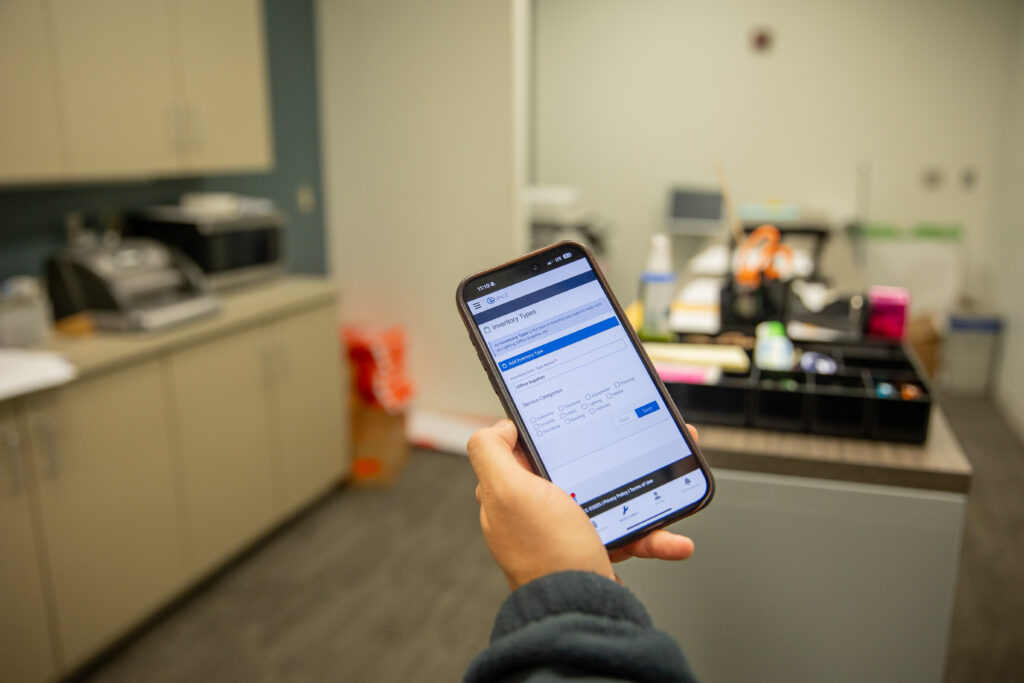
Time Tracking
Have the first task log the start and the last task close out the job. Now you know how long the work actually takes at the level you are asking for it to be done. That works in both directions: it can show a job is taking far longer than anyone assumed, and it can show a job is not getting the time it needs.
Building The Case For Help
This is the one that changes conversations with church leadership. When a facility team says “we need another person” and leadership says “no you don’t,” the task list and the time data behind it are how you settle it with evidence instead of opinion. It cuts the other way too — if scheduled work consistently is not getting done, either the team needs more training or the lists are too heavy and need to be parsed out differently.
Planning The Next Campus
Historical data on what it takes to clean and maintain the building you have is the honest starting point for staffing the building you are about to open.
Liability and documentation. Some work needs a paper trail. Cleanup of a potentially hazardous biological fluid is the obvious case. A task group for that event captures not just how it was handled but what was used. If someone asks for the safety data sheet later, you know exactly which chemical was applied and that the correct process was followed.
A Few Task Groups Worth Building This Week
- Ice machine cleaning: Every manufacturer publishes a specific sequence, chemical, and dwell time for this, and almost nobody follows it. Put the protocol into a task group, attach the maintenance manual to the equipment record, and set it up as a recurring work order. Your team can do it — they just need it in front of them.
- Volunteer workday: You cannot be in every room, and you do not have a leader for every project. Build a task group for each project on the list, assign one responsible person per group, and let eSPACE deliver the order of operations. It makes herding a hundred volunteers considerably easier.
- Emergency water shutoff locations: When a technician has to hunt for a shutoff nobody documented, let them add that task to the work order as they go. Then save it to a task group so the next person does not repeat the search.
- Post-renovation cleanup: One group, added to the end of every project work order, so spaces get turned over to ministry the same way every time.
Let Your Team Add Their Own Tasks
One more thing worth turning on: let your technicians add tasks to their own work orders.
When they can, the task list becomes a record of what it actually took to finish the job. Had to call a supplier for a part. Had to shut off the water to the wing. Had to wait on a delivery. Some of that belongs in notes, but as tasks it becomes searchable, time-stamped, and reusable — and it explains where the hours went without anyone having to defend themselves.
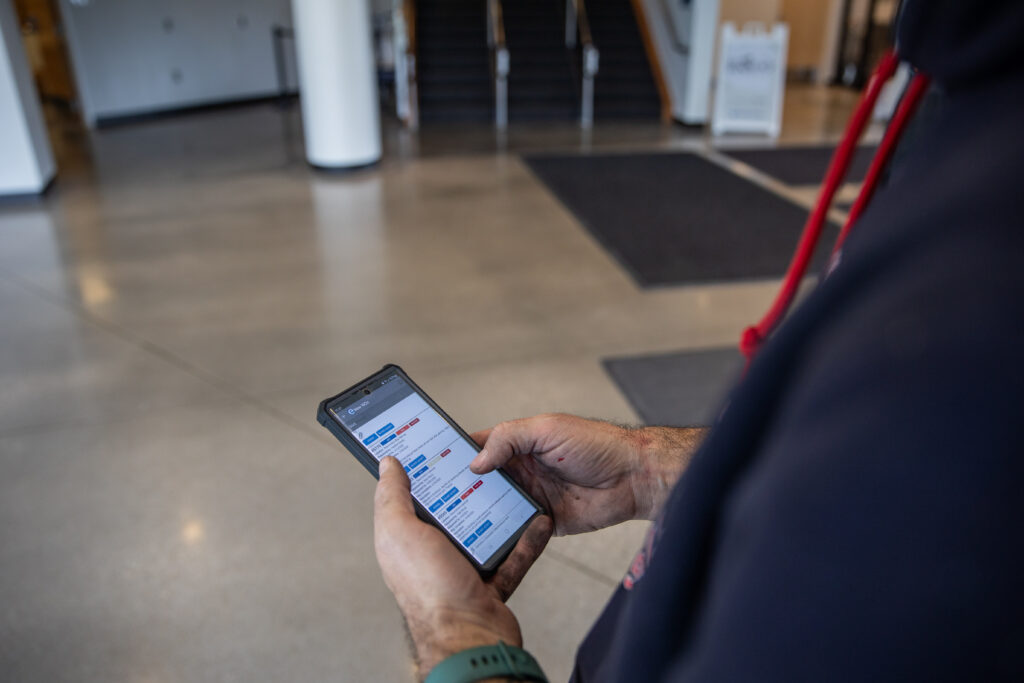
That is the whole idea. A task list is a tool tracker and a time tracker. It does not have to be punitive. It is informative.
Frequently asked questions
Where do I find task lists in eSPACE?
Admins manage the task library under Settings > Advanced > Task Library and task groups under Settings > Advanced > Task Groups. Tasks are added to a work order from the task tab, using “Add Task from Library” or “Add New Task.”
Can I assign a task to someone other than the person who owns the work order?
Yes. Any user permitted to work under that work order’s service category can be assigned an individual task. They receive an email notification and see it under “My Assigned Tasks” on their dashboard.
Can I control the order tasks appear in?
Yes. Tasks can be dragged into the sequence you want, both inside a work order and in the library itself. For process-driven work like cleaning or inspections, build them in the order the work should happen.
What is the difference between a task and a task group?
A task is one step. A task group is a named set of related tasks — a cleaning protocol, an inspection procedure, a turnover checklist — that can be added to a work order as a unit.
Do I have to build all of this before it is useful?
No. Start with one. Take the process your team runs most often, write it down as a task group, and use it for a month. Add the next one when that becomes second nature.
Start with one list
Task lists build culture. They tell your team how work is done here, they give new people a standard to grow into, and they give you the data to advocate for your department with confidence.
If you have eSPACE and your task library is still empty, pick the process you repeat most and build it this week. Our full walkthrough of the task library is in the eSPACE knowledge base, and if you would like someone to walk your team through it, book a demo, and we will show you what this looks like in your account.