
A church in Texas was traveling with 34 passengers on a multi-passenger bus when tragedy struck. An accident occurred, resulting in fatalities and severe injuries to church members. But the nightmare didn’t end with the accident itself.
During the investigation, an unexpected party arrived: an inspector from the Federal Motor Carrier Safety Administration (FMCSA). The church faced significant fines on top of dealing with loss of life and injuries—not because of the accident itself, but because they weren’t compliant with federal vehicle regulations.
Their response? “We didn’t know churches needed to be compliant.”
The reality: Ignorance of the law is not a legal defense, even for churches. This story isn’t meant to scare you—it’s meant to wake you up to the critical importance of proper church fleet management and the software systems that can help you maintain compliance.
Understanding Federal Requirements for Church Vehicles
The 15-Passenger Threshold
Any vehicle with a capacity for more than 15 passengers likely falls under Federal Motor Carrier Safety Administration standards. This is the critical number every church leader must know. These federal standards apply nationwide, though individual states can adopt them directly or create stricter requirements. States cannot require less than federal standards. Check your state’s commercial motor vehicle regulations to understand your specific requirements.
What Classification Applies to Churches?
When churches operate their own multi-passenger vehicles for transporting people, they typically fall under the designation: Private Motor Carrier of Passengers (Non-Business). The PMCP-Non Business designation is not always known or understood by those who inspect Commercial Motor Vehicles (CMV). This classification, and understanding what it means, is the first step in a intentionalvehicle safety program if you are operating CMMV’s with a passenger capacity (including the driver) of over 15.
This means:
- You’re not charging for transportation
- You’re not a leasing company
- You’re not operating as a commercial business
- You’re transporting people for ministry purposes
Compliance Requirements You Can’t Ignore
What You’re Exempt From
As a Private Motor Carrier of Passengers (Non-Business), you don’t have to comply with many commercial regulations, including:
- Hours of service logs (in most cases)
- Many commercial driver qualification requirements
- Certain operational restrictions
Critical Note: If you choose to keep hours of service logs even though they’re not required, and you keep them incorrectly, you can still be fined for improper recordkeeping. When in doubt, don’t create unnecessary compliance burdens.
What You’re NOT Exempt From
Here are the critical compliance requirements that apply to churches with large commercial motor vehicles:
1. Drug and Alcohol Testing Programs
You must maintain educational programs for your drivers—including volunteer drivers. Programs they participate in through other organizations (schools, employers) do not count. Your church must have its own program. A proper program will also include the need for random drug and alcohol testing for your drivers. Even if you have volunteers who drive for a school district or another CMV operator, their testing program cannot be used in lieu of yours. This may have volunteers in each program getting “randomly” tested more often.
2. Maintenance Records
This is perhaps the most significant requirement. You must be able to demonstrate:
- Proper vehicle maintenance has been performed
- All required safety inspections are completed
- Tire rotations, oil changes, and repairs are documented
- Records are maintained with dates and details

3. DOT Number Registration
If you’re planning interstate travel (crossing state lines), you’ll likely need a US DOT number from the Department of Transportation. This is:
- A relatively simple process
- Reasonably affordable
- Required for interstate travel with large passenger vehicles
- Identifies you as a Private Motor Carrier of Passengers (Non-Business)
- Some states may require a state DOT number as well. It should be easy to find out in your state’s CMV Handbook
4. Driver Qualifications and Training
Proper documentation of driver qualifications, training completion, and ongoing education must be maintained.
The Real Risks of Non-Compliance
Legal and Financial Consequences
- Significant fines from FMCSA inspections
- Liability exposure in accident investigations
- Insurance complications if proper records aren’t maintained
- Legal vulnerability if you can’t prove due diligence
Operational Challenges
Church vehicle operations already present significant risks:
- Inexperienced drivers operating larger vehicles than they’re used to
- Distracted environments (excited children, active youth groups)
- Unfamiliar routes on trips to new locations
- Volunteer driver rotation making consistency difficult
Without proper systems, you’re amplifying already-risky situations.
Two Paths to Compliance
Option 1: Limit Your Vehicle Fleet
- Only use vehicles with 15 passengers or fewer
- Avoid hauling trailers that exceed maximum length requirements
- Stay within state lines to avoid interstate commerce regulations
This dramatically simplifies compliance requirements but limits your ministry capacity.
Option 2: Implement Proper Fleet Management Systems
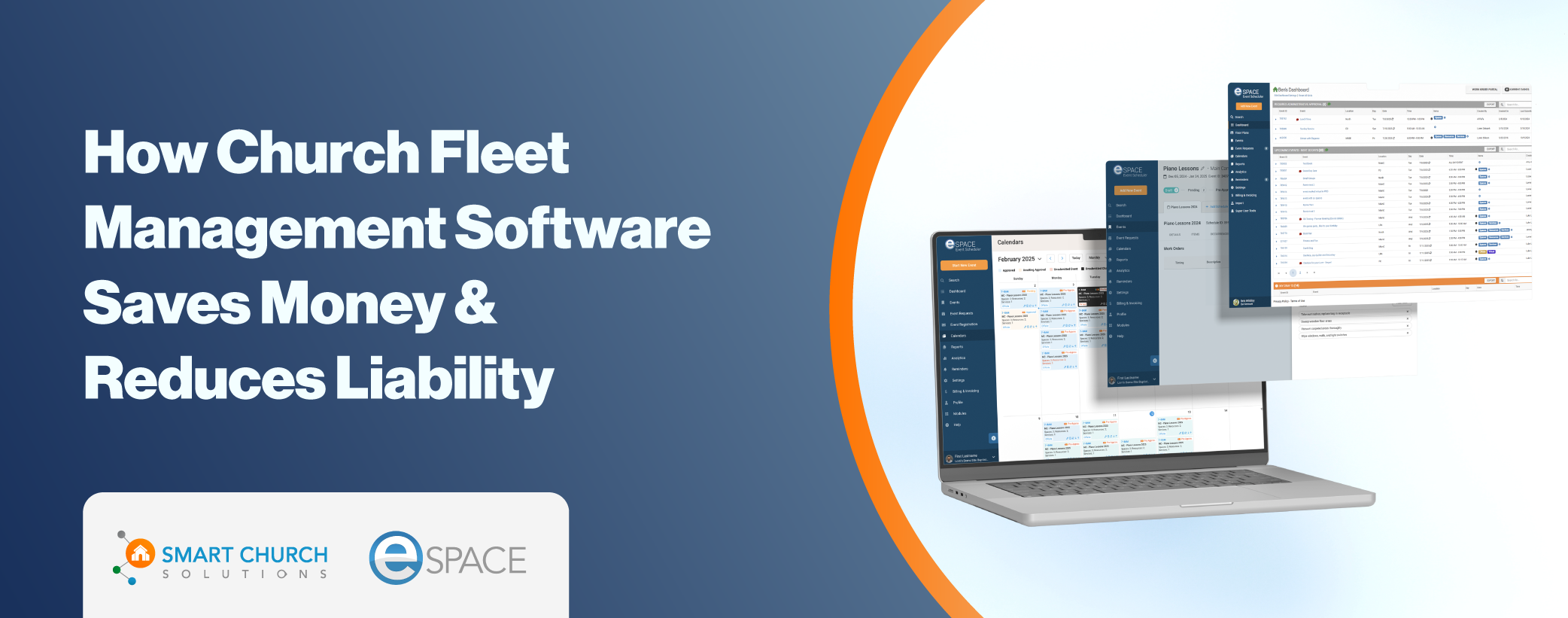
Use church fleet management software to maintain comprehensive records and stay compliant while operating the vehicles your ministry needs.
How Church Fleet Management Software Solves Compliance
Automated Maintenance Tracking
Quality church vehicle management software tracks:
- Oil change schedules based on mileage and time
- Tire rotation reminders according to manufacturer specifications
- Required inspection dates to ensure you never miss deadlines
- Preventive maintenance intervals for all vehicle systems
Comprehensive Work Order Documentation
Every service, repair, and maintenance activity gets documented with:
- Date and time stamps providing objective evidence
- Detailed work descriptions showing what was done
- Parts and labor records demonstrating thoroughness
- Service provider information for work done by external shops
Vehicle-Specific Record Keeping
Create a complete history for each vehicle showing:
- All maintenance performed over the vehicle’s lifetime
- Pre-trip, during-trip, and post-trip condition reports
- Issues identified and how they were resolved
- Compliance with manufacturer recommendations
Centralized Document Storage
Keep critical documents accessible:
- Current registration for each vehicle
- Insurance certificates readily available
- Inspection reports organized and searchable
- Driver qualifications and training records
Beyond Passenger Vehicles: Complete Fleet Management
Church fleet management isn’t just about buses. Proper tracking applies to:
All Motorized Vehicles
- Vans and cars
- Buses and shuttles
- Maintenance trucks
- Staff vehicles
Trailers and Equipment
- Enclosed trailers
- Flatbed trailers
- Utility trailers
Specialty Vehicles
- Golf carts for campus transportation
- Side-by-sides for grounds maintenance
- Utility vehicles for facility operations
The Reality: Any equipment that could cause injury or damage represents a liability if you can’t prove proper maintenance and due diligence.
The Golf Cart Example
Consider golf carts used to shuttle people from parking lots. You might only use them one day per week, making it easy to forget about maintenance. But a golf cart catching fire (whether battery or gas-powered) while transporting church members creates serious liability—especially if you can’t demonstrate proper maintenance records.
Key Features of Effective Church Fleet Management Software
Mileage-Based Maintenance Rules
Automatically trigger maintenance tasks based on:
- Actual miles driven
- Engine hours (for specialty equipment)
- Manufacturer recommendations
- Industry best practices
Fuel and Cost Tracking
Monitor and report on:
- Fuel consumption by vehicle
- Cost per mile calculations
- Budget variance and trends
- Efficiency comparisons across your fleet

Event Integration
Connect fleet management with your event scheduling:
- Assign vehicles to specific events in your church calendar
- Attach documentation (registration, insurance) to each trip
- Enable driver access to vehicle information via mobile app
- Track vehicle usage by ministry, department, or event type
Pre-Trip and Post-Trip Reporting
Drivers can document vehicle condition:
- Before departure: Identify existing issues
- During trips: Note problems as they occur
- After return: Report new concerns requiring attention
This creates an unbroken chain of accountability and documentation.
Analytics and Reporting Dashboard
Generate reports for:
- Leadership teams reviewing operations
- Executive or operations pastors budgeting for the year
- Insurance companies requesting maintenance records
- Government inspectors verifying compliance
- Deacons or elders providing oversight
Real-World Implementation Example
Here’s how comprehensive church fleet management software works in practice:
Step 1: Trip Planning
A youth group schedules a retreat requiring a 34-passenger bus.
Step 2: Vehicle Assignment
The event scheduler assigns the specific bus to the trip, attaching:
- Current vehicle registration
- Insurance documentation
- Approved driver assignments
Step 3: Pre-Trip Documentation
The assigned driver uses the mobile app to:
- Complete a pre-trip inspection checklist
- Document current mileage
- Note any existing issues or concerns
Step 4: During-Trip Updates
If issues arise during the trip, the driver can immediately:
- Open a work order in the system
- Document the problem with photos and notes
- Flag it for immediate attention upon return
Step 5: Post-Trip Completion
After returning, the driver:
- Completes post-trip inspection
- Records final mileage
- Submits any maintenance concerns
Step 6: Maintenance Response
The system automatically:
- Creates work orders for identified issues
- Schedules preventive maintenance based on new mileage
- Updates the vehicle’s maintenance history
- Notifies appropriate team members
The Result
You have an objective, date-stamped record proving proper vehicle maintenance, driver accountability, and organizational due diligence.
Who Needs Church Fleet Management Software?
Definitely Required For:
- Any church with vehicles over 15 passenger capacity
- Churches conducting interstate travel
- Organizations with multiple vehicles to track
- Ministries using volunteer drivers
Strongly Recommended For:
- Churches with any passenger vehicles (even under 15 passengers)
- Organizations with trailers and specialty equipment
- Facilities with golf carts or utility vehicles
- Any church wanting to reduce liability exposure
The Simple Test
If you have more than two vehicles requiring maintenance, or even one vehicle regularly transporting people, you need proper fleet management software. You cannot rely on volunteer Joe’s memory for maintenance tracking.
Choosing the Right Church Vehicle Management Solution
Essential Features to Look For:
- Unlimited vehicle capacity to grow with your ministry
- Automated maintenance reminders based on time and mileage
- Mobile access for drivers in the field
- Document storage for registrations, insurance, and inspections
- Integration with event scheduling for comprehensive trip management
- Analytics and reporting for leadership and compliance
- Work order integration connecting fleet to facility management
Consider Total Cost of Ownership:
- Initial setup and training investment
- Ongoing subscription or licensing costs
- Support and customer success resources
- Integration with existing church systems
The Bottom Line: Better Safe Than Sorry
The Texas church story that opened this article represents a worst-case scenario—but it’s not hypothetical. It happened. And it could happen to any church operating passenger vehicles without proper compliance and documentation systems in place.
You have two choices:
- Limit your operations to avoid compliance requirements entirely
- Implement proper systems to operate compliantly and confidently
For most churches, limiting operations means limiting ministry impact. The better choice is implementing church fleet management software that makes compliance straightforward, documentation automatic, and liability exposure minimal.
The question isn’t whether you can afford fleet management software—it’s whether you can afford to operate without it. When an accident occurs, when an inspector shows up, when insurance questions arise, having comprehensive, date-stamped records of proper maintenance and due diligence can mean the difference between a difficult situation and a catastrophic one.
Don’t wait for a wake-up call. Implement proper church fleet management practices today, before they become mandatory through painful experience.
Getting Started with Church Fleet Management
Immediate Action Steps:
- Inventory your vehicles: List everything requiring tracking
- Determine classifications: Do you have vehicles over 15 passengers?
- Assess compliance status: Are you currently meeting federal requirements?
- Research solutions: Evaluate church fleet management software options
- Implement systematically: Don’t try to do everything at once
Resources and Support
Look for church fleet management solutions that include:
- Dedicated customer success teams
- Training and onboarding assistance
- Ongoing support as regulations evolve
- Community of other church facility managers
Final Thought
“We didn’t know” isn’t a defense. “We weren’t prepared” isn’t acceptable. “We thought volunteers could handle it” isn’t a strategy.
Proper church vehicle management through specialized software isn’t just about compliance—it’s about stewardship, safety, and protecting the people God has entrusted to your care.